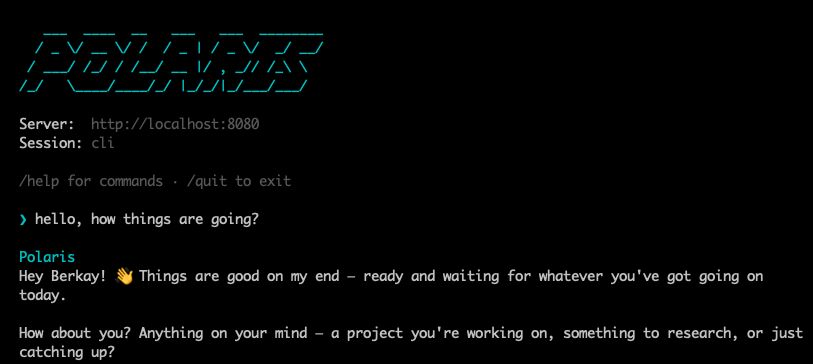
Chat from your terminal
Run polaris chat and talk directly from the terminal. Lightweight, fast, and always available — no browser needed.
Polaris is a self-hosted personal AI companion that grows its own Markdown wiki over time. It runs sandboxed inside a Docker container, connects to any OpenAI-compatible LLM, and ships as a single Go binary — lightweight, private, and fully under your control.
Install the CLI with one line.
curl -fsSL https://raw.githubusercontent.com/berkaycubuk/polaris-agent/main/scripts/install.sh | sh Configure interactively.
polaris setup Start the agent in Docker.
docker compose up -d
Then chat: polaris chat — or hit localhost:8080/chat, or message it on Telegram.
Run polaris chat and talk directly from the terminal. Lightweight, fast, and always available — no browser needed.
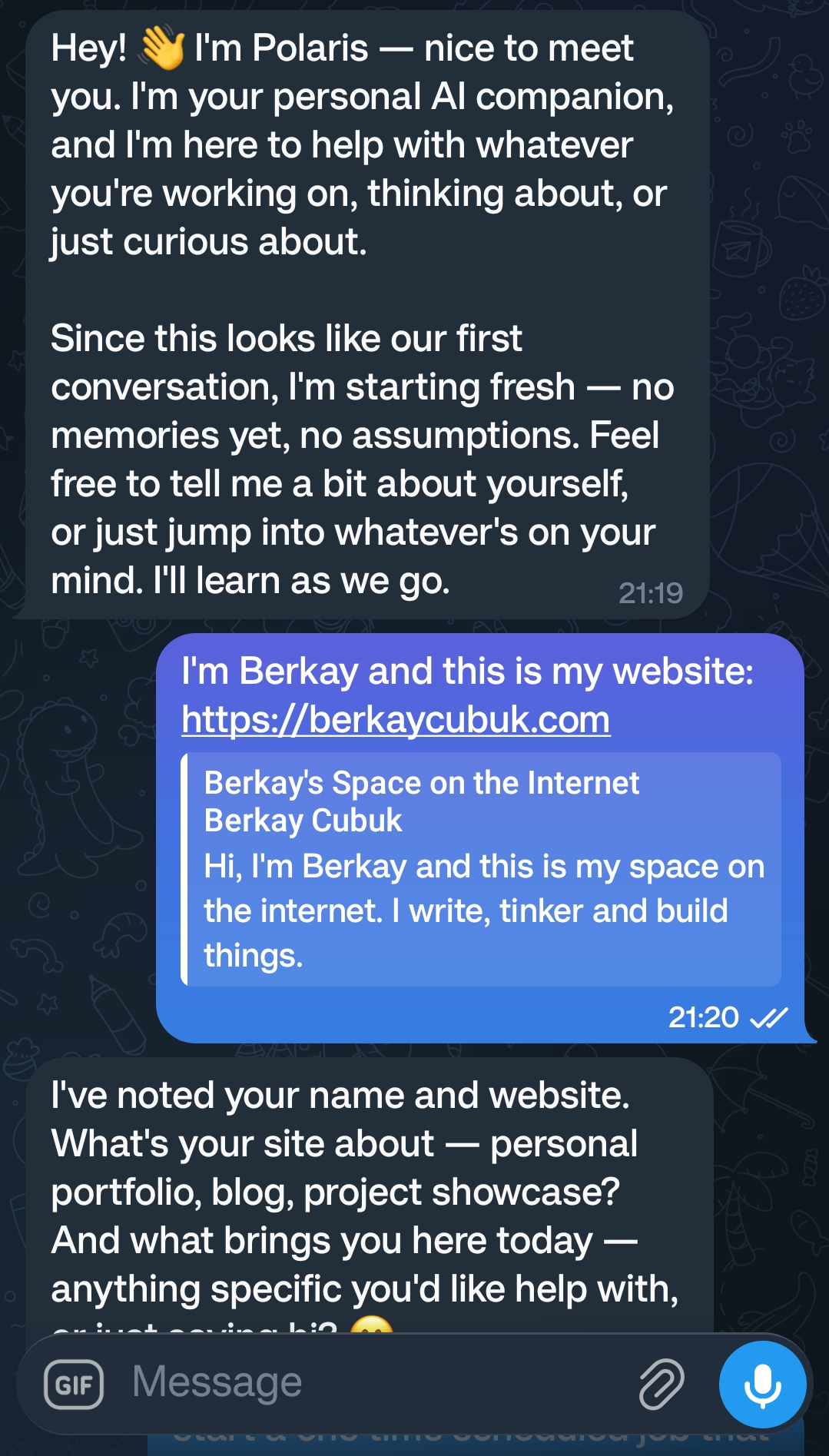
Message Polaris from anywhere. Same memory, same skills — in your pocket.
The agent runs inside a Docker container with a persistent volume for data storage. Isolated from your host system, easy to update, and simple to move between machines.
Everything Polaris collects and remembers is stored as plain Markdown files in a personal wiki. Human-readable, version-controllable, and fully portable — no proprietary database required.
Polaris Agent can write new skills for itself and download existing ones from the community. Each skill adds targeted capabilities without bloating the core agent.
Skills can include their own Python scripts running in isolated environments. Automate tasks, process data, or extend the agent's behavior with custom code.
Bring your own OpenAI-compatible provider — local or cloud. Swap models freely without changing your configuration, and keep full control over where your data is sent.
Start with a smaller, faster model and the agent will still grow more useful with every conversation. Its wiki-based memory accumulates context so it understands you better.
When you run polaris setup, the agent creates a data directory that holds everything it knows. SOUL.md defines its personality and behavior. USER.md stores what it learns about you. The wiki/ folder is its growing knowledge base — every insight, note, and connection it makes ends up there as plain Markdown.
Each conversation turn follows a tool loop: the agent reasons about your message, decides which tools to call (search the web, run a script, update its wiki), acts on them, and responds. If it learns something worth remembering, it writes it back to the wiki automatically.
There is no vector database, no cloud sync, no background service phoning home. You can read every byte of its memory, edit any file by hand, and back it up with a single tar. The agent runs on your machine, in your Docker container, talking to the LLM endpoint you chose.